What's inside
As an Amazon Associate I earn from qualifying purchases. This post may contain affiliate links at no extra cost to you.
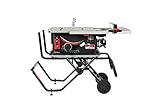
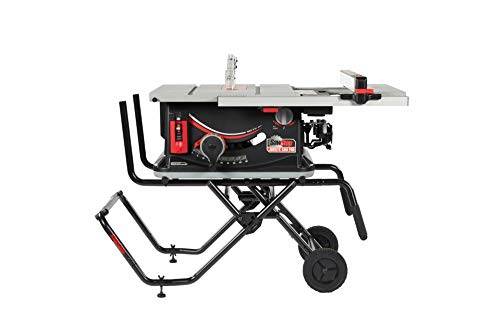
For most buyers, the SawStop Compact Table Saw (CTS) is the practical portable pick; choose the Jobsite Saw (JSS) if you need a larger rip capacity and wheeled stand, and the Industrial Cabinet Saw (ICS) only if you mean a mobile-ready saw that will live in a shop—not a saw you carry to a job. All three use SawStop’s flesh-detection brake, but their size, transport demands, and blade-system costs differ enough that “portable” can mean very different things.
As an Amazon Associate we earn from qualifying purchases at no extra cost to you.


Sections
Our Top Picks
 SAWSTOP 1.75HP Contractor Saw with 30” Premium Fence61.75 x 40.5 x 34.75 Inches256 PoundsCheck on Amazon

Portable SawStop models at a glance
Specifications below are useful for comparing the models, but check the current manual and configuration before buying. Stands, fences, and included accessories affect both weight and usable capacity.
| Model | Flesh-detection safety | Rip capacity | Saw weight, approx. | Best fit |
|---|---|---|---|---|
| Compact Table Saw (CTS) | Active brake system; 10-inch blade | About 24½ inches to the right | About 68 lb | Small shops, trim work, occasional transport |
| Jobsite Saw (JSS) | Active brake system; 10-inch blade | About 25½ inches to the right | About 79 lb for the saw | Regular site use; wheeled stand and larger work support |
| Industrial Cabinet Saw (ICS) | Active brake system; 10-inch blade | Configuration-dependent; commonly 36 inches or more | Several hundred pounds | Permanent shop installation, not routine carrying |
Weights are approximate saw-only figures, not a promise about a ready-to-roll package. Add the stand, blade, accessories, and any dust collection equipment when planning a vehicle load or deciding whether one person can move the saw safely. The CTS and JSS are the relevant choices for most people searching for a portable SawStop table saw. The ICS is included because some shoppers compare it, but its cabinet weight and installation needs put it in another category.
Which one fits your work?
- Choose the CTS for limited space or occasional transport. It is the lighter, simpler option, and its roughly 24½-inch right-side rip capacity is enough for many crosscut sled, cabinet-part, and general workshop tasks. It is still heavy enough to make repeated lifting awkward; plan a stable bench or suitable stand rather than treating it like a handheld tool.
- Choose the JSS for frequent jobsite moves. Its wheeled stand is the main convenience advantage: rolling a saw is easier than repeatedly lifting it, especially when moving between a vehicle and a level work area. The extra weight is a trade-off, not a free upgrade. Its right-side capacity is only about an inch greater than the CTS’s, so buy it mainly for transport and setup—not for a dramatic increase in sheet-goods capacity.
- Choose an ICS for a shop that needs capacity and stability. It offers the mass and configuration options of a cabinet saw, but requires floor space, installation, and appropriate electrical and dust-collection planning. It is not a sensible choice just because it has a larger fence capacity.
- Consider a different saw type if you need frequent full-sheet breakdowns. Even a portable table saw can be cumbersome for handling large sheets alone. A track saw or panel-cutting setup may be safer and more manageable for breaking down full-size plywood before making smaller, repeatable table-saw cuts.
What the safety system changes—and what it doesn’t
SawStop’s brake system detects contact with skin and rapidly stops the blade, typically leaving a minor cut rather than the severe injury a running blade could cause. The system is an important additional safeguard, not permission to reach across the blade, remove guards unnecessarily, or ignore safe-work practices. Keep the blade guard, riving knife, and anti-kickback components installed when the operation allows, and use push sticks and appropriate support for narrow or large workpieces.
The brake cartridge and blade are consumables after many activations. Contact with conductive material, wet or green wood, or certain cutting conditions can trigger the brake even without skin contact. Before a cut, use the saw’s bypass mode only when the manual calls for it and you have confirmed the material or setup requires it. Bypass disables the flesh-detection function; it does not make a risky cut safe. Follow the manual’s procedure for checking the system, choosing compatible blades, and replacing a fired brake.
Budget for the blade system, not just the saw
Prices vary by configuration and retailer, so compare current package contents rather than relying on a bare-saw price. As a broad market guide, portable SawStop packages generally cost more than basic jobsite saws, often landing in the high hundreds to low thousands of dollars. The saw is only part of the ownership cost: allow for a suitable blade, stand or work support, dust collection, and replacement brake cartridges.
A brake activation can mean replacing both the cartridge and the blade, depending on the event and blade condition. That makes a low-cost spare blade a poor substitute for checking compatibility and keeping the work area clear of metal. For a shop doing regular wood cutting, the extra cost may be easier to justify than for a saw used only a few weekends a year.
A simple cost-per-use check
Suppose the price difference between a SawStop package and a comparable non-braking saw is $500, and you expect to use the saw 100 times over five years. The difference works out to $5 per use before consumables. At 20 uses, it is $25 per use. This is not a prediction of injury prevention or a financial valuation of safety; it simply makes the purchase premium easier to compare with your actual usage. Add stand, blade, and cartridge costs separately.
Setup and ownership details that matter
- Check the path from storage to work. Measure doorways, vehicle access, and the space needed to unfold a stand. A wheeled base helps on smooth ground but does not make stairs or rough terrain effortless.
- Level and support the saw before cutting. A stable stand and outfeed support reduce the chance that a long board or sheet tips as it leaves the table. Do not let a workpiece’s weight pull the saw or stand out of position.
- Keep dust and pitch under control. Sawdust around the elevation and tilt mechanisms can make adjustment rough; resin buildup on the blade increases friction. Disconnect power before cleaning, and use the cleaning products and procedures specified in the manual.
- Check alignment periodically. Verify the fence is parallel to the blade and the blade is square to the table after transport or a hard bump. A small alignment error can cause poor cuts or increase binding risk.
- Confirm blade and cartridge compatibility. Use approved blade types and follow the model’s instructions for dado stacks and brake settings. Do not assume every blade or accessory that physically fits is compatible with the safety system.
Buying decision in brief
| Your situation | Best starting point | Why |
|---|---|---|
| Small shop, occasional moves, moderate sheet cutting | CTS | Lower carrying weight and useful capacity without a large stand footprint |
| Frequent site work, rolling between locations | JSS | Wheeled stand prioritizes setup and transport convenience |
| Permanent workshop, heavier stock, maximum stability | ICS | Cabinet-saw format and larger configuration options; not truly portable |
| Very tight budget or rare use | Compare total ownership cost | Include stand, blades, cartridges, and how often the safety system’s added cost will be used |
For a portable SawStop table saw, the key decision is usually CTS versus JSS: pick the CTS when lighter handling and compact storage matter most, and the JSS when rolling the saw and setting up at jobsites matter more. Neither is a substitute for a cabinet saw’s mass or a dedicated sheet-cutting system. Before ordering, confirm the exact stand, fence capacity, included blade, electrical requirements, and current replacement-cartridge compatibility for the model you intend to buy.