What's inside
As an Amazon Associate I earn from qualifying purchases. This post may contain affiliate links at no extra cost to you.
Sections
Our Top Picks
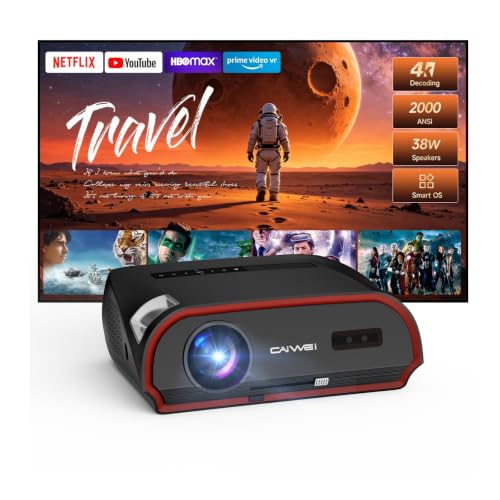


Best projectors for bright rooms: the short answer
For a living room that is hard to darken, the best projectors for bright rooms are high-output models paired with a screen sized to their actual throw distance—and, when daylight or lamps remain on, a compatible ambient-light-rejecting (ALR) screen. Start by measuring your screen size and projector position, then compare rated brightness and lens range. For most multipurpose living rooms, a 3,000–4,000-lumen home-theater projector is a sensible starting point; a bright ultra-short-throw model can be easier to place near the wall, but usually needs a UST-specific screen.
Brightness ratings are not perfectly comparable across brands or picture modes. A projector may reach its highest quoted output in a less accurate mode, while a calibrated cinema mode is dimmer. Treat the numbers below as a shortlist, not a promise of identical real-world performance.
As an Amazon Associate we earn from qualifying purchases at no extra cost to you.



Quick comparison for living-room setups
| Projector | Published brightness | Throw / placement | Useful screen-size guidance | Best fit |
|---|---|---|---|---|
| Epson Home Cinema 3800 | 3,000 lumens (color and white) | Standard throw; 1.32–2.15:1 throw ratio | 100 inches from roughly 11–18 feet | Flexible placement and a large image in a moderately bright room |
| BenQ TK700 | 3,200 ANSI lumens | Standard throw; about 1.13–1.46:1 | 100 inches from roughly 9.4–12.1 feet | Shorter standard-throw spaces and gaming-focused setups |
| BenQ X3100i | 3,300 ANSI lumens | Standard throw; about 1.15–1.50:1 | 100 inches from roughly 9.6–12.5 feet | Bright-room versatility with a relatively short placement range |
| Epson LS800 | 4,000 lumens (color and white) | Ultra-short throw; about 0.16:1 | 100 inches from only a few inches from the wall, with exact placement set by its chart | Bright rooms where a ceiling-mounted projector is impractical |
| Hisense PX3-PRO | 3,000 ANSI lumens | Ultra-short throw; about 0.22:1 | 100 inches from roughly 8–10 inches from the wall, depending on setup | UST living-room installations with a compatible screen |
Throw distances are approximate lens-to-screen distances, not distances from the back of the projector. Check each model’s current installation chart before buying: zoom position, image size, and mounting geometry affect the final measurement. A UST image also requires careful alignment; a small shift can distort the picture.
Choose by room and placement—not brightness alone
Moderate daylight, flexible ceiling placement: Epson Home Cinema 3800
The Home Cinema 3800 combines a published 3,000-lumen output with a wide zoom and lens shift. That flexibility makes it easier to fit a conventional projector into an existing room without relying heavily on digital keystone correction, which can reduce usable resolution. It is a practical choice for a large, matte-white screen when curtains or blinds can reduce direct daylight. If the room stays bright throughout the day, a standard white screen may still look washed out; extra lumens cannot fully restore dark-scene contrast.
Shorter standard-throw distance: BenQ TK700 or X3100i
These BenQ models offer relatively high published brightness and a shorter throw range than many traditional home-theater projectors. That can help when seating, furniture, or the room’s length limits projector placement. The TK700 is worth considering when gaming features are a priority; the X3100i is a brighter, more flexible living-room option on paper. Measure from the lens to the screen and confirm the desired diagonal falls within the model’s range before committing to a mount.
No ceiling mount and persistent ambient light: Epson LS800
The LS800’s ultra-short-throw design places the projector near the wall, avoiding a long ceiling run and reducing the chance that people walk through the beam. Its 4,000-lumen rating is among the stronger options here. Pair it with a UST-compatible ALR screen if the room has substantial ambient light. A regular ALR screen designed for a long-throw projector may reject light from the wrong direction and perform poorly with a UST unit.
UST setup with a lower brightness rating: Hisense PX3-PRO
The PX3-PRO is another UST option, with a published 3,000 ANSI-lumen rating. It suits viewers who want the projector close to the wall and are prepared to use a UST screen and carefully align the image. In a bright room, compare it with the LS800 based on the exact screen size, image mode, and installation—not just the headline lumen figures. The brighter model may be preferable for daytime use, while a well-controlled room can make either more satisfying.
How much brightness does your screen need?
Screen size changes perceived brightness substantially. The same light output spread across a 120-inch image looks dimmer than it does on a 100-inch image. As a rough planning estimate for a 16:9 screen, a projector delivering 3,000 lumens to the screen produces about 44 foot-lamberts on a 100-inch diagonal matte-white screen, before accounting for real-world losses and picture-mode differences. On a 120-inch screen, the estimate falls to about 31 foot-lamberts.
This simplified calculation divides projector lumens by screen area in square feet and multiplies by the screen’s gain; it does not account for room reflections or the projector’s actual calibrated output. A useful takeaway: if you cannot darken the room, shrinking a 120-inch target to 100 inches may improve the image more than chasing a modest brightness increase.
An ALR screen can improve perceived contrast by reflecting more projector light toward viewers while rejecting some light arriving from other directions. It cannot eliminate all room light, and performance depends on where lamps and windows are located. For daytime viewing, block direct sunlight first, then select a screen designed for your projector’s throw type and viewing arrangement.
Decision guide before you buy
| Your situation | What to prioritize | Starting point |
|---|---|---|
| Blinds reduce daylight; projector can be ceiling-mounted | At least about 3,000 published lumens, zoom range, lens shift | Epson Home Cinema 3800 |
| Limited distance for a standard projector | Shorter throw ratio and the correct image size at your measured distance | BenQ TK700 or X3100i |
| Projector must sit close to the wall | UST throw ratio, placement chart, UST-specific ALR screen | Epson LS800 or Hisense PX3-PRO |
| Direct sunlight remains on the screen | Light control first; smaller screen and high-output projector second | Address window light before choosing a model |
Measure first: a three-step fit check
- Choose the image size. Mark the screen’s width and height on the wall. A 100-inch 16:9 image is about 87 inches wide; allow space for the screen frame and speakers.
- Measure the lens-to-screen distance. For a standard-throw model, multiply the image width by the projector’s throw-ratio range. For example, a 100-inch-wide image with a 1.32–2.15:1 ratio needs approximately 132–215 inches between lens and screen.
- Check light direction and screen compatibility. Note whether daylight comes from windows beside, above, or behind the screen. Match any ALR screen to the projector type, then check its viewing-angle limits and recommended projector location.
Keep some room for mount adjustment and cable routing. Avoid using keystone correction as a substitute for proper placement, especially when image sharpness matters.
What to expect after installation
Projectors lose brightness as their light source ages, and a bright mode may use more power or produce more fan noise than an economy mode. Keep air vents clear and clean accessible filters as the manual directs; dust buildup can contribute to overheating and reduced performance. A screen also needs care: follow its cleaning instructions, since abrasive cloths or household cleaners can damage the surface or its light-rejecting structure.
For the best balance in a difficult living room, first control direct light, then select a screen size the projector can illuminate from your available distance. Choose the LS800 or PX3-PRO when near-wall UST placement solves a real installation problem; choose a standard-throw model when you want more mounting flexibility. In every case, the screen and room layout matter nearly as much as the lumen number.