What's inside
- Quick recommendations by room and use
- The Best Short Throw Projectors for Small Rooms in 2026: Detailed Picks
- More Short Throw Projectors for Small Rooms Worth Considering in 2026
- Throw ratio matters more than the projector’s advertised screen size
- Where to Place a Short Throw Projector in a Small Room
- Head-to-head: ultra-short throw versus short throw
- Brightness: match the room, not the marketing number
- Screen Size and Distance Chart for Small Rooms
- Worked fit calculation for a 10-foot room
- Setup details that prevent common problems
- Ownership realities: what wears out first
- Choosing the Right Screen for a Short Throw or UST Projector
- DLP, 3LCD and the Rainbow Effect
- Sound and Smart Features in a Small Room
- Fan Noise and Heat: A Bigger Issue in Small Rooms
- Connectivity Checklist Before You Buy
- Best Short Throw Projectors for Small Rooms by Budget
- How to choose without overbuying
- Frequently Asked Questions
- Quick recommendations by room and use
- The Best Short Throw Projectors for Small Rooms in 2026: Detailed Picks
- More Short Throw Projectors for Small Rooms Worth Considering in 2026
- Throw ratio matters more than the projector’s advertised screen size
- Where to Place a Short Throw Projector in a Small Room
- Head-to-head: ultra-short throw versus short throw
- Brightness: match the room, not the marketing number
- Screen Size and Distance Chart for Small Rooms
- Worked fit calculation for a 10-foot room
- Setup details that prevent common problems
- Ownership realities: what wears out first
- Choosing the Right Screen for a Short Throw or UST Projector
- DLP, 3LCD and the Rainbow Effect
- Sound and Smart Features in a Small Room
- Fan Noise and Heat: A Bigger Issue in Small Rooms
- Connectivity Checklist Before You Buy
- Best Short Throw Projectors for Small Rooms by Budget
- How to choose without overbuying
- Frequently Asked Questions
As an Amazon Associate I earn from qualifying purchases. This post may contain affiliate links at no extra cost to you.
The best short throw projectors for small rooms are the ones whose throw ratio matches your available wall distance: choose a 0.25:1 ultra-short-throw model for a cabinet position near the wall, a 0.5:1 model for a coffee table or rear shelf, or a 0.9:1 gaming projector when you can place it several feet behind the screen.
As an Amazon Associate we earn from qualifying purchases at no extra cost to you.



Updated October 2026 — Quick answer: The best short throw projectors for small rooms are the BenQ TH671ST (best budget 1080p, 100 inches from about 5 feet), the Optoma GT2000HDR (best laser 0.5:1 model for a coffee table), and the Hisense PX3-PRO (best ultra short throw that sits inches from the wall). For 4K gaming in a compact room, the laser BenQ TK710STi is the newer step-up from the TK700STi; for a rainbow-free UST, the Epson EpiqVision Ultra LS650 costs far less than the LS800.
Sections
- Quick recommendations by room and use
- The Best Short Throw Projectors for Small Rooms in 2026: Detailed Picks
- More Short Throw Projectors for Small Rooms Worth Considering in 2026
- Throw ratio matters more than the projector’s advertised screen size
- Where to Place a Short Throw Projector in a Small Room
- Head-to-head: ultra-short throw versus short throw
- Brightness: match the room, not the marketing number
- Screen Size and Distance Chart for Small Rooms
- Worked fit calculation for a 10-foot room
- Setup details that prevent common problems
- Ownership realities: what wears out first
- Choosing the Right Screen for a Short Throw or UST Projector
- DLP, 3LCD and the Rainbow Effect
- Sound and Smart Features in a Small Room
- Fan Noise and Heat: A Bigger Issue in Small Rooms
- Connectivity Checklist Before You Buy
- Best Short Throw Projectors for Small Rooms by Budget
- How to choose without overbuying
- Frequently Asked Questions
Our Top Picks
 Optoma GT2000HDR Ultra-Compact Short Throw Full HD Home3500 Lumens, 1080p4.49 x 10.79 x 8.5 Inches9.6 poundsCheck on Amazon
 Hisense PX3-PRO Ultra Short Throw Triple Laser Projector80"-150"21.7 x 11.7 x 4.8 inches19.8 poundsCheck on Amazon
 Epson EpiqVision LS800 4K PRO-UHD Ultra Short Throw13.4 x 27.4 x 6.2 inches27.6 poundsCheck on Amazon



Quick recommendations by room and use
- Closest-to-the-wall installation: Hisense PX3-Pro or Epson EpiqVision Ultra LS800. Both are ultra-short-throw projectors designed to sit on a media cabinet below the screen.
- Small multipurpose room: Optoma GT2000HDR. Its 0.5:1 throw ratio gives useful placement flexibility without requiring a long room.
- Gaming in a compact room: BenQ TK700STi. It offers 4K-class detail, a short throw, and gaming-oriented input performance, but needs more distance than an ultra-short-throw model.
- Lowest-cost large image: A short-throw 1080p DLP projector in the 0.5:1 to 0.8:1 range. This is usually better value than paying for 4K resolution that your seating distance cannot reveal.
The Best Short Throw Projectors for Small Rooms in 2026: Detailed Picks
The quick recommendations above point you toward a throw-ratio class. The picks below are specific models in each class, from budget smart projectors to premium ultra-short-throw laser TVs. Specifications come from each model’s listing title and manufacturer information; always confirm the exact throw distance for your screen size with the brand’s calculator before buying.
| Projector | Throw class | Resolution | Rated brightness | Light source | Best for |
|---|---|---|---|---|---|
| BenQ TH671ST | Short throw, about 0.69–0.83:1 | 1080p | 3,000 lumens | Lamp | Budget gaming and everyday viewing |
| Optoma GT2000HDR | Short throw, about 0.5:1 | 1080p | 3,500 lumens | Laser | Coffee-table placement in shallow rooms |
| Optoma GT2400HDR | Short throw | 1080p | 4,200 lumens | Laser | Bright rooms, gaming, golf simulators |
| Hisense PX3-PRO | Ultra short throw | 4K UHD | 3,000 lumens | Triple laser | Premium TV replacement and console gaming |
| Epson EpiqVision LS800 | Ultra short throw | 4K PRO-UHD | 4,000 lumens | Laser, 3LCD | Daylit living rooms |
| BenQ TK700STi | Short throw, longer than 0.5:1 models | 4K | 3,000 lumens | Lamp | 4K gaming in a compact room |
| ViewSonic LS711HD | Short throw, 0.49:1 | 1080p | 4,200 lumens | Laser | Flexible placement, including ceiling projection |
| Hisense PL2 | Ultra short throw | 4K UHD | 2,700 lumens | Laser | Most affordable route into a branded UST |
| AWOL VISION LTV-2500 | Ultra short throw | 4K UHD | High-brightness class | Triple laser | Movie fans who want Dolby Vision and 3D |
| WEMAX Nova Pro | Ultra short throw | 4K | 2,100 ISO lumens | Laser | Smaller rooms that want a simple Google TV UST |
BenQ TH671ST — Best budget short throw for gaming and everyday use
The TH671ST is the long-running value pick in this category. It is a 1080p DLP projector rated at 3,000 lumens, with a short-throw lens that fills about 100 inches from roughly five feet. That makes it a natural fit for a rear shelf or coffee table in a small living room or bedroom.
The trade-offs are typical of lamp projectors: more fan noise and heat than a laser model, a lamp that dims over time and eventually needs replacing, and no built-in streaming platform, so plan on a streaming stick. For occasional movie nights and console gaming on a modest budget, it remains one of the safest buys.
Optoma GT2000HDR — Best for short throw from a coffee table
The GT2000HDR is the laser-based successor to the long-popular GT1080HDR lamp model, keeping the roughly 0.5:1 short throw that produces a large image from just a few feet away. A laser light source means fast startup, steady brightness over time, and no lamp replacements.
Its 1080p resolution is a sensible match for the viewing distances in a small room, where 4K detail is harder to see. The main limitation is that built-in smart features are limited compared with the newer all-in-one projectors, so most owners pair it with a streaming device.
Optoma GT2400HDR — Best for bright rooms and simulator setups
The GT2400HDR raises the bar on brightness with a 4,200-lumen laser engine, 1080p resolution, and low-input-lag gaming. Its listing also calls out golf-simulation readiness, which reflects how short-throw projectors are used in garages and simulator bays where the projector must sit close to the hitting area.
The extra brightness is useful in rooms with windows or light walls, and the laser source suits daily use. As with the GT2000HDR, resolution is 1080p rather than 4K, and audio and smart features are secondary to picture brightness.
Hisense PX3-PRO — Best premium ultra short throw for movies and gaming

The PX3-PRO is the projector to choose when the room is too shallow for anything but a unit sitting right below the screen. Its listing specifies a triple-laser 4K UHD engine, 3,000 lumens, 3000:1 contrast, an 80- to 150-inch image range, Dolby Vision and Dolby Atmos, IMAX Enhanced certification, Google TV, and a 240Hz high-refresh mode with a “Designed for Xbox” badge.
Triple-laser models produce a very wide color range, and the high-refresh mode makes it one of the better UST options for console and PC gaming. As with every UST, a flat wall or a dedicated UST screen is essential to avoid wavy geometry.
Pros
- Sits inches from the wall for a large image in a shallow room
- Triple-laser color, Dolby Vision, and Dolby Atmos
- High-refresh gaming mode and built-in Google TV
Cons
- Premium price, plus the cost of a UST screen
- Very sensitive to placement and wall flatness
Epson EpiqVision LS800 — Best ultra short throw for bright living rooms

The LS800 is built around Epson’s 3LCD laser design with 4K PRO-UHD processing, and it is one of the brightest UST projectors aimed at living rooms. Epson rates it at 4,000 lumens, which helps it hold up against daylight and lamps better than most competitors. Because 3LCD projectors do not use a spinning color wheel, viewers who are sensitive to the DLP “rainbow effect” do not see it here.
The chassis is large and best suited to a sturdy, deep media cabinet. Note that “4K PRO-UHD” is Epson’s pixel-shifting approach rather than a native 4K chip, though in a small room the visible difference is minimal.
Pros
- Very high brightness for a UST
- 3LCD design avoids the rainbow effect
- Laser light source suited to daily TV use
Cons
- Large, heavy chassis
- Pixel-shift 4K rather than native 4K; high price
BenQ TK700STi — Best 4K short throw for gaming in a compact room

The TK700STi is the 4K gaming option recommended above for compact rooms. Its listing specifies 4K resolution, 3,000 lumens, low input delay, HDR10 and HLG support, 96% Rec.709 color coverage, a bundled Android TV dongle, and a 5W chamber speaker. Its throw is longer than the 0.5:1 models, as the throw-distance table below shows, so measure carefully.
Gaming responsiveness is its standout trait, and the lamp light source keeps the price down at the cost of eventual lamp replacement.
Pros
- 4K detail with low input delay for consoles and PC
- Accurate Rec.709-focused color
- Streaming built in via the included dongle
Cons
- Needs more distance than 0.5:1 short throws
- Lamp-based, with fan noise and lamp replacement
ViewSonic LS711HD — Best for flexible placement and very short distances

The LS711HD pairs a laser light source and 4,200 lumens with a 0.49:1 throw ratio, the shortest conventional short-throw lens in this guide. Its listing also highlights horizontal and vertical keystone, four-corner adjustment, and 360-degree projection, which means it can be angled toward a ceiling or mounted in unusual orientations in tight rooms.
This is a 1080p model with a home-and-office focus, so expect fewer streaming and audio features than the lifestyle UST projectors. Use digital keystone and corner correction sparingly, since heavy correction softens the image.
Pros
- 0.49:1 throw for a big image from a short distance
- Bright, low-maintenance laser engine
- Flexible mounting, including 360-degree projection
Cons
- 1080p only and limited smart features
- Styling and audio aimed more at offices than living rooms
Hisense PL2 — Best value ultra short throw laser

Its listing specifies 4K UHD resolution, 2,700 lumens, 3000:1 contrast, an 80- to 150-inch image range, Dolby Vision and Dolby Atmos, 3D support, Google TV, and Wi-Fi 6E.
It gives up some brightness and color range compared with the PX3-PRO, which matters most in brighter rooms. In a small room with light control, it delivers the same core UST benefit: a large picture from a cabinet right below the screen, without running cables across the room.
Pros
- Much cheaper than flagship UST models
- Dolby Vision, Atmos, 3D, and Google TV included
- Wi-Fi 6E for stable streaming
Cons
- Less bright than premium USTs for daylit rooms
- Still requires a flat wall or UST screen
AWOL VISION LTV-2500 — Best for home-theater features on a UST budget

AWOL VISION built its name on UST laser TVs, and the LTV-2500 packs in a triple-laser 4K UHD engine, Dolby Vision and Dolby Atmos, HDR10+, active 3D, and support for up to a 150-inch image. The listing also includes a 4K streaming stick, so it is ready to stream out of the box.
Movie fans who want 3D and every major HDR format will find the feature list hard to beat at this price. Triple-laser color is vivid, and as a UST it can sit in a small room’s media cabinet. Brightness is solid for evening viewing but benefits from light control.
Pros
- Triple-laser color with Dolby Vision and HDR10+
- Active 3D support
- Streaming stick included
Cons
- Older model than some 2026 rivals
- Like all USTs, needs careful alignment and a flat surface
WEMAX Nova Pro — Best for a simple Google TV ultra short throw

The Nova Pro is a 4K ultra-short-throw projector with Google TV built in and a rating of 2,100 ISO lumens. It aims at buyers who want the UST experience with straightforward streaming and no extra boxes.
Its brightness rating is lower than the Epson or Hisense flagships, so it fits best in small rooms with curtains or evening viewing rather than sunny living rooms. ISO lumens are a standardized measurement, which makes the figure more trustworthy than unspecified marketing lumens.
Pros
- Built-in Google TV with native streaming apps
- Standardized ISO brightness rating
- UST placement for shallow rooms
Cons
- Lower brightness than premium USTs
- Price close to stronger UST rivals when they are discounted
More Short Throw Projectors for Small Rooms Worth Considering in 2026
The ten picks above cover the main throw classes. These six fill the gaps that other 2026 guides recommend and that matter in small rooms: a laser 4K short throw for gaming, a 0.5:1 4K model, a cheaper 3LCD UST, the shortest-throw UST we found, a brighter AWOL model, and a portable UST for bedrooms.
| Projector | Throw ratio | 100-inch image distance | Rated brightness | Light source / chip | Lowest input lag |
|---|---|---|---|---|---|
| BenQ TK710STi | 0.69–0.83:1 | About 5–6 ft | 3,200 ANSI lumens | Laser, DLP 4K (XPR) | About 4 ms (1080p/240Hz) |
| Optoma UHD35STx | 0.5:1 | Just over 3 ft | 3,600 lumens | Lamp, DLP 4K (XPR) | 4.2 ms (1080p/240Hz) |
| Epson EpiqVision Ultra LS650 | 0.26:1 | Rear of unit about 10.5 in from wall | 3,600 lumens (ISO 21118) | Laser, 3LCD 4K PRO-UHD | Under 20 ms (Epson figure) |
| XGIMI AURA 2 | 0.177:1 | About 7 in (17.8 cm) | 2,300 ISO lumens | Laser + LED, DLP 4K (XPR) | About 20 ms |
| AWOL VISION LTV-3000 Pro | 0.25:1 | About 20 in for 80 in; about 37.5 in for 150 in (from the screen) | 2,000 ISO lumens | Triple laser, DLP 4K (XPR) | 8 ms (1080p/120Hz Turbo mode) |
| Optoma Photon Go ML1080UST | 0.18:1 | About 9.7 in (max size 100 in) | 650 ISO lumens | Triple laser, DLP 1080p | Not a gaming focus |
| LG CineBeam S PU615U | 0.25:1 | About 22 in (0.55 m) from the screen for 100 in | 500 ANSI lumens | Triple laser (RGB), 4K UHD | Not published by LG |
| Samsung The Premiere LSP7T | 0.25:1 | Roughly 10–12 in from the wall for 100 in | 2,200 ANSI lumens | Single laser, DLP 4K | Not published |
| AWOL VISION Aetherion Pro | 0.2:1 | About 6.2 in (15.7 cm) from the wall for 100 in | 2,600 ISO lumens | Triple laser, DLP 4K (XPR) | About 1 ms (1080p/240Hz, maker figure) |
BenQ TK710STi — Best laser 4K short throw for gaming in a small room
The BenQ TK710STi keeps the gaming focus of the TK700STi but swaps the lamp for a laser and shortens the throw. That matters in a small room: the TK700STi needs roughly 6.5–8 feet for 100 inches, while the TK710STi does it from about 5–6 feet.

- Throw ratio: 0.69–0.83:1 (100 inches from about 5–6 ft)
- Brightness: 3,200 ANSI lumens, laser rated up to 20,000 hours
- Resolution: 4K UHD via XPR pixel shifting, HDR10 and HLG
- Input lag: about 4 ms at 1080p/240Hz, 16 ms at 4K/60Hz
- Inputs: two HDMI 2.0b; Android TV runs through BenQ’s streaming dongle
Pros: laser means no lamp swaps and instant on; very low lag at 240Hz; shorter throw than the TK700STi; popular for golf simulators.
Cons: no lens shift, so placement must be centered; costs roughly twice the TH671ST.
Skip it if… your projector must sit closer than about 5 feet from the screen; choose a 0.5:1 model or a UST.
Optoma UHD35STx — Best 0.5:1 4K short throw for a coffee table
The Optoma UHD35STx is the 4K answer for rooms where the projector sits on a coffee table about 3 feet from the wall. It pairs that 0.5:1 lens with a 240Hz mode for PC and console gaming.

- Throw ratio: 0.5:1 (100 inches from just over 3 ft)
- Brightness: 3,600 lumens
- Resolution: 4K UHD on a 0.65-inch DLP chip
- Input lag: 4.2 ms at 1080p/240Hz, about 16.9 ms at 4K/60Hz
- Light source: 240 W lamp, rated 4,000–15,000 hours depending on mode
Pros: the shortest conventional throw among 4K short throws here; bright enough for rooms with some light; 3D support.
Cons: lamp-based, so expect a lamp replacement eventually; only a 10 W mono speaker and no built-in streaming.
Skip it if… you want a laser and a smart OS in one box; the Optoma GT2000HDR (1080p) or a UST suits you better.
Epson EpiqVision Ultra LS650 — Best rainbow-free UST for less than the LS800
If the Epson LS800 is too large or too expensive, the Epson EpiqVision Ultra LS650 keeps the 3LCD laser design, so there is no rainbow effect, in a smaller chassis aimed at 60–120-inch screens.

- Throw ratio: 0.26:1 (100 inches with the rear about 10.5 in from the wall)
- Brightness: 3,600 lumens color and white (ISO 21118)
- Resolution: 4K PRO-UHD (pixel shifting from native 1080p chips), HDR10 and HLG
- Laser life: 20,000 hours
- Audio and OS: 2.1-channel Yamaha sound; Android TV with Chromecast
Pros: 3LCD means no color-wheel rainbows; bright for its size; compact enough for a standard media console.
Cons: no Dolby Vision or 3D; native contrast is modest, so dark rooms show gray blacks; the Android TV build lacks an official Netflix app, so plan on a streaming stick.
Skip it if… you want screens above 120 inches; the LS800 or Hisense PX3-PRO go bigger.
XGIMI AURA 2 — Best UST for the shallowest cabinets
With a 0.177:1 throw ratio, the XGIMI AURA 2 produces 100 inches from about 7 inches of lens-to-wall distance, the shortest throw in this guide. That helps when the media cabinet is narrow or the room depth is tight.

- Throw ratio: 0.177:1 (100 inches from about 17.8 cm)
- Brightness: 2,300 ISO lumens, laser plus LED light source
- Resolution: 4K UHD via XPR on a 0.47-inch DMD; Dolby Vision, HDR10, HLG, IMAX Enhanced
- Audio: 4 x 15 W Harman Kardon with Dolby Atmos decoding
- Extras: 3D support, built-in lens cover
Pros: extremely short throw; Dolby Vision plus IMAX Enhanced; strong built-in audio for a room without a soundbar.
Cons: about 20 ms input lag is fine for casual games but not competitive play; dimmer than the Epson and Hisense flagships in daylit rooms.
Skip it if… your room gets direct afternoon sun; pick a brighter UST and an ALR screen.
AWOL VISION LTV-3000 Pro — Best step-up AWOL for bigger screens
The AWOL VISION LTV-3000 Pro is the brighter sibling of the LTV-2500 above. It keeps the triple-laser color, Dolby Vision and 3D, and adds faster gaming response.

- Throw ratio: 0.25:1 (80 inches from about 20 in; 150 inches from about 37.5 in, distances from the screen)
- Brightness: 2,000 ISO lumens (marketed higher as peak lumens)
- Color: triple laser, 107% BT.2020; Dolby Vision, HDR10+, HDR10, HLG
- Gaming: 15 ms at 4K/60Hz, 8 ms at 1080p/120Hz
- Connections: three HDMI 2.0b (one eARC), dual-band Wi-Fi; 36 W stereo
Pros: wide color from three lasers; every major HDR format; quicker input response than the LTV-2500.
Cons: heavy for its size; like all triple-laser models, some viewers notice speckle on very smooth screens.
Skip it if… your room is under 9 feet deep and you only need 80–90 inches; the cheaper Hisense PL2 covers that.
Optoma Photon Go ML1080UST — Best portable UST for bedrooms and dorms
The Optoma Photon Go ML1080UST is a small battery-capable UST that throws up to 100 inches from under 10 inches away. It is not a living-room TV replacement, but it fits a bedroom dresser or dorm desk where a regular projector would need a long throw path.

- Throw ratio: 0.18:1 (60 inches from about 3.9 in; 100 inches from about 9.7 in)
- Brightness: 650 ISO lumens, triple-laser light source rated 20,000 hours
- Resolution: 1080p DLP, HDR10
- Smart features: Google TV with Netflix, auto focus and auto keystone
- Battery: up to about 1.5 hours of video playback
Pros: sits right against the wall; Netflix-certified Google TV; light enough to move between rooms.
Cons: 650 ISO lumens needs a dark room; maximum image size is 100 inches.
Skip it if… you watch with lights on or the curtains open; any of the brighter picks above handles that better.
Three more picks cover a lower-cost 4K ultra short throw, a 120-inch laser option, and a bright-room gaming UST.
LG CineBeam S PU615U — Best lower-cost 4K ultra short throw

It suits a bedroom, den, or apartment living room where the projector must sit on a low cabinet or dresser a short distance from the wall and fill a screen of up to 100 inches. LG rates it at 500 ANSI lumens, which is modest, so plan on a dark or lightly lit room.
- Resolution: 4K UHD with HDR10, from a three-channel RGB laser rated at 500 ANSI lumens
- Throw class: ultra short throw, 0.25:1 ratio, 40- to 100-inch image
- Color: up to 154% of DCI-P3, per the listing
- Contrast: 450,000:1, per the listing
- Audio: speakers with Dolby Atmos support
- Setup: auto screen adjustment, HDMI and USB inputs
Pros: 4K at a lower price than other USTs here; built-in Atmos-capable speakers; automatic screen adjustment eases setup; sits on a low cabinet below the screen.
Cons: maximum image size is 100 inches; at 500 ANSI lumens it is dim for daytime viewing.
Skip it if your room gets strong daylight or you want a 120-inch-plus screen; the Hisense PL2 or Epson EpiqVision Ultra LS650 are the next steps up.
Samsung The Premiere LSP7T — Best laser TV alternative at 120 inches
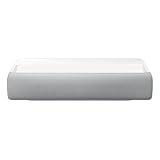
It targets buyers who want a TV-style living-room setup from a well-known brand rather than a specialist projector maker. ProjectorCentral lists it as discontinued since February 2025, so stock and pricing can vary. This listing bundles a third-party extended coverage plan, so compare the price with the base unit before you order, and confirm the placement distance for your screen size in Samsung’s own guide.
- Resolution: 4K UHD, 2,200 ANSI lumens
- Light source: single laser
- Throw class: ultra short throw, about 0.25:1; 90- to 120-inch image, with the unit roughly 10–12 inches from the wall for 100 inches
- Platform: smart projector, per the listing title
- Model year: 2021, per the listing
Pros: laser light source with no lamp changes; large 120-inch image; smart-projector features; a familiar brand.
Cons: older design than 2026 rivals; the bundled coverage plan raises the listing price.
Skip it if low input lag at high refresh rates is your top priority; the BenQ TK710STi lists about 4 ms at 1080p/240Hz.
AWOL VISION Aetherion Pro — Best premium UST for bright-room gaming
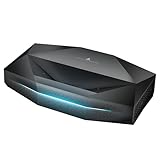
It sits above the LTV-3000 Pro in this guide and is aimed at living rooms with some ambient light where a large 4K picture matters more than price. As with every UST, it needs a flat wall or a UST-rated screen.
- Resolution: 4K ultra short throw, images up to 200 inches
- Light source: triple laser
- Brightness: 2,600 ISO lumens
- Contrast: 6,000:1 native
- Color: 110% Rec.2020 coverage
- Extras: PixelLock clarity and anti-rainbow-effect technology
Pros: bright for a triple-laser UST; very wide color range; large-screen capability; designed with gaming in mind.
Cons: premium price plus the cost of a UST screen; sensitive to placement and wall flatness, like every UST.
Skip it if your room is small enough for 80 to 100 inches; the Hisense PL2 delivers that for far less.
How we chose these short throw projectors
This list is research-based. We compared manufacturer spec sheets for throw ratio, rated brightness and input lag, independent reviews published by projector review sites, and the models other 2026 small-room guides recommend. We favored ISO or ANSI brightness figures over marketing lumens, and we left out budget listings whose brightness claims could not be matched to a standard.
Throw ratio matters more than the projector’s advertised screen size
Throw ratio is the distance from the lens to the screen divided by the image width. A 0.5:1 projector needs approximately 5 feet for a 10-foot-wide image. An ultra-short-throw projector with a 0.25:1 ratio needs only about 2.5 feet for the same width, although its physical chassis and required wall clearance still affect installation.
For a 16:9 image, screen width is approximately 0.872 times the diagonal measurement. The following figures use the manufacturer’s nominal throw ratio and show the approximate lens-to-screen distance, not the projector’s total cabinet depth.
| Projector type or model | Throw ratio | Approx. distance for 80-inch image | Approx. distance for 100-inch image | Brightness class | Best placement |
|---|---|---|---|---|---|
| Hisense PX3-Pro | About 0.25–0.42:1 | About 17–29 inches | About 21–36 inches | High-brightness triple-laser | Media cabinet below screen |
| Epson LS800 | About 0.25:1 | About 17 inches | About 22 inches | High-brightness laser | Fixed cabinet installation |
| Optoma GT2000HDR | About 0.50:1 | About 35 inches | About 44 inches | High-brightness laser | Coffee table or rear shelf |
| BenQ TK700STi | About 0.90–1.08:1 | About 63–76 inches | About 79–94 inches | Bright lamp-based 4K-class | Ceiling mount or rear shelf |
| Typical short-throw 1080p DLP | About 0.50–0.80:1 | About 35–56 inches | About 44–70 inches | Medium to high brightness | Table, shelf, or ceiling |
These are planning figures rather than exact installation distances. Zoom range, screen size, focus position, lens offset, and the manufacturer’s specified tolerance can change the final distance. Always leave adjustment room instead of designing around the minimum or maximum value.
Where to Place a Short Throw Projector in a Small Room
Placement decides which throw class fits, so pick the spot first. The distances below use a 100-inch 16:9 image, which is about 87 inches wide, multiplied by the throw ratio.
| Placement | Throw ratio | Lens-to-screen distance | Watch for |
|---|---|---|---|
| Cabinet below the screen | About 0.25:1 (UST) | About 22 inches | Flat wall or UST screen, cabinet depth, vibration |
| Coffee table | About 0.5:1 | About 44 inches | Clear beam path, fan noise near seating |
| Rear shelf | 0.69 to 0.83:1 | About 5 to 6 feet | Shelf depth behind the sofa, cable runs |
| Ceiling mount | 0.5 to 1.08:1 | About 3.5 to 8 feet | Image flip setting, mount height, ceiling fans |
In a room under 10 feet deep, a cabinet UST or a 0.5:1 coffee-table model usually leaves the most seating space. A 0.9:1 gaming projector such as the BenQ TK700STi needs roughly 6.5 to 8 feet for the same image, so it fits only when the room is longer or the screen is smaller. Mark the lens position with painter’s tape before buying and confirm the distance with the maker’s throw calculator.
Head-to-head: ultra-short throw versus short throw
Ultra-short throw: best when the projector must live beside the wall
The Hisense PX3-Pro and Epson LS800 are the better choices when a room is too shallow for a conventional projector. They can produce a 100-inch image from roughly 2 feet of lens-to-wall distance, making them suitable for apartments, dens, and living rooms where a ceiling mount would cross a walkway.
The trade-off is demanding alignment. Moving the projector a small amount can shift the image noticeably, and an uneven wall or screen can create visible geometry errors. Ultra-short-throw models also work best with a rigid, flat, tensioned screen. Ambient-light-rejecting UST screens can improve contrast in a bright room, but they add substantial cost.
The LS800 is particularly sensible when brightness and a very close cabinet position matter more than compact size. The PX3-Pro is attractive when built-in smart features, laser light-source convenience, and a wider range of screen-size adjustment are priorities. Check each model’s current connectivity and operating-system support before buying because streaming platforms and firmware features can change.
Short throw: easier to move and less sensitive to wall geometry
The Optoma GT2000HDR is a more flexible fit for a room where the projector can sit on a table several feet from the wall. Its roughly 0.5:1 ratio can create a large image without placing the projector in the middle of the room, and its laser engine avoids lamp replacements.
It does, however, need a clear path between the lens and the screen. A coffee table, pet, or person walking through the beam can become an obstruction. Lamp-based models also produce more heat and may require lamp replacement after extended use. For occasional movie nights, that is often acceptable; for several hours of daily use, a laser model usually has a simpler ownership routine.
Gaming short throw: choose response and placement together
The BenQ TK700STi is a better match for gaming than a large UST home-theater unit when low input lag, 4K-class detail, and a conventional HDMI setup are important. Its approximately 0.9:1 to 1.08:1 ratio is still shorter than many standard projectors, but it needs around 6.5 to 8 feet for an 80-inch image.
Measure behind the seating position, not just the room’s total length. A 10-foot room may not provide enough usable distance once you subtract the screen, sofa, projector body, and rear walking space. If it does not, choose a 0.5:1 model instead.
Brightness: match the room, not the marketing number
For a small room with curtains and controlled lighting, roughly 1,500 to 2,500 manufacturer-rated lumens can be adequate for an 80- to 100-inch image. A room with daylight, white walls, or overhead lighting benefits from a brighter projector, especially above 100 inches.
Brightness does not eliminate ambient light. It can make a picture more visible, but blacks will still look gray when light reaches the screen. A darker wall, blackout curtains, and a screen with appropriate gain may improve the result more than moving from one high-lumen projector to another.
Be cautious when comparing quoted brightness figures. “ANSI lumens,” ISO lumens, and unspecified marketing lumens are not interchangeable ratings. Treat brightness as a range for planning, and expect the most accurate picture mode to be dimmer than the brightest presentation mode.
Screen Size and Distance Chart for Small Rooms
Use this chart to see how far the lens sits from the screen for common image sizes. Each figure is the screen width (diagonal times 0.872 for a 16:9 image) multiplied by the throw ratio.
| Screen size | Image width | 0.25:1 UST | 0.5:1 short throw | 0.9:1 gaming short throw |
|---|---|---|---|---|
| 80 inches | About 70 inches | About 17 inches | About 35 inches | About 63 inches |
| 100 inches | About 87 inches | About 22 inches | About 44 inches | About 78 inches |
| 120 inches | About 105 inches | About 26 inches | About 52 inches | About 94 inches |
| 150 inches | About 131 inches | About 33 inches | About 65 inches | About 118 inches |
If the number in the right-hand column is longer than the free space behind your seating, move one column to the left. Always confirm the exact distance with the manufacturer’s calculator, because zoom range and lens offset change it.
Worked fit calculation for a 10-foot room
Suppose the available distance from the front edge of a cabinet to the wall is 30 inches, and the desired screen is 100 inches diagonal. A 100-inch 16:9 image is about 87.2 inches wide.
- A 0.25:1 UST projector needs approximately 87.2 × 0.25 = 21.8 inches of lens-to-screen distance.
- A 0.50:1 short-throw projector needs approximately 87.2 × 0.50 = 43.6 inches, so it will not fit in the intended cabinet position.
- A 1.0:1 projector needs approximately 87.2 inches, leaving almost no practical space for seating in a 10-foot room.
The UST model fits on paper, but the cabinet must be deep and stable enough to hold it without vibration. Confirm whether the distance specification is taken from the lens or from the rear of the projector, then add the projector’s depth and cable clearance.
Setup details that prevent common problems
- Measure the wall and the projector position first. Mark the intended image edges with painter’s tape. This exposes conflicts with shelves, outlets, trim, and ceiling height before installation.
- Center the projector physically. Digital keystone correction is useful for minor errors but reduces effective resolution and can introduce scaling artifacts. A square, centered placement gives a sharper image.
- Use the correct screen type. A standard matte-white screen is suitable for many front projectors. UST projectors usually benefit from a screen designed for their steep upward light path.
- Set focus after the projector warms up. Heat can slightly alter focus, particularly on lamp-based units. Recheck focus after 15 to 20 minutes.
- Run cables before final mounting. HDMI, power, optical audio, and network cables need bend room. Short cabinets often hide cables poorly, so allow ventilation and access.
- Keep ventilation clear. Do not place a projector inside a closed cabinet unless the enclosure has been designed for airflow. Excess heat shortens lamp life and can stress electronics.
Ownership realities: what wears out first
On lamp-based projectors, the lamp is the main consumable. Brightness gradually falls before the lamp fails, and a replacement lamp can represent a meaningful portion of the original purchase price. Dust buildup on filters and vents is another common issue, especially in workshops, homes with pets, or rooms undergoing renovation.
Laser projectors avoid routine lamp replacement, but they are not maintenance-free. Their light output also declines over time, and sealed optical assemblies can be expensive to repair outside warranty. Clean the exterior vents with power disconnected, avoid spraying cleaner into openings, and follow the manufacturer’s filter instructions rather than using compressed air indiscriminately.
For a projector used four hours per week, a lamp rated at 5,000 hours represents more than 24 years of calendar use in theory. In practice, brightness mode, heat, dust, and aging electronics matter more than the simple division. For daily use, laser convenience and stable brightness can justify the higher initial price.
Choosing the Right Screen for a Short Throw or UST Projector
The screen has more influence on picture quality in a small room than most buyers expect, and the right choice depends on the throw class. A conventional short-throw projector works well with a standard matte-white screen at around 1.0 to 1.3 gain. Light bounces back evenly, viewing angles are wide, and the cost is modest.
Ultra-short-throw projectors are different because light hits the screen from a steep angle below. Ambient-light-rejecting (ALR) screens designed for UST projectors use a ridged surface that reflects that upward light toward the viewer while rejecting ceiling light from above. In a bright living room, this can transform contrast. Using a standard ALR screen meant for ceiling-mounted projectors with a UST will produce a dim, uneven image, so check that the screen is specifically labeled for ultra-short-throw use.
Whatever the type, flatness matters most for UST projectors. Small ripples in a pull-down screen or an uneven painted wall show up as bent lines across the picture. A fixed-frame tensioned screen is the safest choice. If you project onto a wall instead, a smooth surface painted in a flat, neutral shade works better than textured or glossy paint.
DLP, 3LCD and the Rainbow Effect
Most short-throw projectors in this guide use DLP technology, which creates color with a spinning color wheel or with sequential laser color. A small share of viewers notice brief flashes of red, green, and blue, known as the rainbow effect, especially in high-contrast scenes or when moving their eyes quickly. Triple-laser DLP models generally reduce the issue, and 3LCD projectors such as the Epson LS800 avoid it entirely because they display all three colors at the same time. If anyone in your household is sensitive to it, favor 3LCD or watch a demo before buying.
Sound and Smart Features in a Small Room
Built-in speakers have improved, and several UST models include respectable Dolby Atmos-capable sound bars inside the chassis. In a small room, that can be enough for casual viewing. Short-throw models placed on a rear shelf or ceiling mount are a different story: the sound comes from behind or above you, which feels disconnected from the picture. A compact soundbar under the screen, connected through HDMI ARC or eARC where supported, solves that and is usually a better investment than a bigger built-in speaker.
Smart platforms vary just as widely. Google TV and VIDAA projectors run streaming apps directly, but app availability and licensing can differ by model and region, and some projectors have had limited access to specific services. If a projector’s built-in apps fall short, a dedicated streaming stick or box costs relatively little and receives updates for longer. For gaming, connect consoles directly to the projector’s lowest-latency HDMI input rather than through a receiver or switch, and turn on the projector’s game mode.
Fan Noise and Heat: A Bigger Issue in Small Rooms
In a large room, a projector sits well behind the audience. In a small room, a short-throw unit on a coffee table or shelf may be within arm’s reach of the sofa, so fan noise and warm exhaust become part of the viewing experience. Compare the manufacturer’s noise rating in both normal and eco modes, and remember that bright modes are usually the loudest.
Lamp projectors generally run warmer and louder than laser models at similar brightness. If the projector must sit right beside your seating, a laser model or an eco mode can make quiet dialogue scenes far more comfortable. Point the exhaust vent away from viewers, and avoid placing the unit directly next to a wall or cushion that can trap warm air and make the fans spin faster.
Connectivity Checklist Before You Buy
- HDMI count: one input for a streaming device, one for a console, and ideally a spare, so you are not constantly swapping cables.
- HDMI ARC or eARC: lets a soundbar receive audio directly from the projector’s built-in apps.
- Gaming inputs: check which HDMI port supports the lowest input lag or high-refresh modes, since it is often only one.
- USB power: a powered USB port can run a streaming stick without an extra wall adapter.
- Wireless: Wi-Fi 6 or newer helps built-in apps stream high-bitrate 4K reliably; wired Ethernet is better still where available.
- Mounting and placement: confirm ceiling-mount support, rear or front projection settings, and the lens offset, which determines how high the image sits relative to the projector.
Best Short Throw Projectors for Small Rooms by Budget
These tiers are rough budget groupings. Each pick gets one spec line: throw ratio · brightness · resolution · light source.
Best budget short throw projectors
- BenQ TH671ST: 0.69–0.83:1 · 3,000 lumens · 1080p · lamp
- Optoma Photon Go ML1080UST: 0.18:1 · 650 ISO lumens · 1080p · triple laser
- LG CineBeam S PU615U: 0.25:1 UST · 500 ANSI lumens · 4K · triple laser · Dolby Atmos speakers
What to expect at this tier:
- 1080p native resolution, which is enough at the 6–9 foot seating distances of most small rooms.
- Lamp models are brighter for the money; laser models cost more but skip lamp replacements.
- Limited or no built-in streaming on the name-brand models, so budget for a streaming stick.
- Very cheap no-name projectors often overstate brightness; trust ANSI or ISO ratings only.
Best mid-range short throw projectors
- Optoma GT2000HDR: about 0.5:1 · 3,500 lumens · 1080p · laser
- Optoma GT2400HDR: short throw · 4,200 lumens · 1080p · laser
- Optoma UHD35STx: 0.5:1 · 3,600 lumens · 4K · lamp
- BenQ TK700STi: 0.9–1.08:1 · 3,000 lumens · 4K · lamp
- BenQ TK710STi: 0.69–0.83:1 · 3,200 ANSI lumens · 4K · laser
- ViewSonic LS711HD: 0.49:1 · 4,200 lumens · 1080p · laser
- Hisense PL2: UST · 2,700 lumens · 4K · laser
- Samsung The Premiere LSP7T: UST · 0.25:1 · 2,200 ANSI lumens · 4K · laser · smart OS
- Epson EpiqVision Ultra LS650: 0.26:1 · 3,600 lumens · 4K PRO-UHD · laser 3LCD
- XGIMI AURA 2: 0.177:1 · 2,300 ISO lumens · 4K · laser + LED
- AWOL VISION LTV-2500 / LTV-3000 Pro: 0.25:1 UST · triple laser · 4K · Dolby Vision
- WEMAX Nova Pro: UST · 2,100 ISO lumens · 4K · laser
What to expect at this tier:
- Most ultra short throw “laser TV” models start here, along with 4K gaming short throws.
- Dolby Vision, built-in streaming and 20,000-hour laser light sources become standard.
- Gaming models reach about 4 ms input lag at 1080p/240Hz.
- Add the cost of a UST-specific ALR screen if your room has daylight.
Best premium short throw projectors
- Hisense PX3-PRO: UST · 3,000 lumens · 4K · triple laser · 240Hz mode
- Epson EpiqVision Ultra LS800: about 0.25:1 · 4,000 lumens · 4K PRO-UHD · laser 3LCD
- AWOL VISION Aetherion Pro: UST · 2,600 ISO lumens · 4K · triple laser
What to expect at this tier:
- Enough brightness for daytime viewing in a living room with an ALR screen.
- Screen sizes up to 150 inches from a cabinet a few inches from the wall.
- Better built-in audio and gaming modes, but you pay for features a 10-foot room may not need.
How to choose without overbuying
| Your situation | Recommended specification | Why |
|---|---|---|
| Less than 3 feet from wall | 0.25:1–0.42:1 UST | Fits a cabinet installation and large screen in a shallow room |
| 3–5 feet available | 0.50:1–0.80:1 short throw | Balances placement flexibility, cost, and image size |
| 6 feet or more available | 0.90:1–1.10:1 gaming or standard short throw | Offers more model choice and often easier ceiling mounting |
| Daylit living room | At least about 2,500–3,000 lumens plus light control | Maintains visibility on larger images, though it cannot restore black levels |
| Daily use | Laser light source | Avoids lamp replacement and usually starts quickly |
| Occasional movie nights | 1080p lamp-based short throw | Lower purchase cost and inexpensive replacement options |
In a genuinely small room, the best short throw projectors are not necessarily the ones with the highest resolution or brightest headline specification. Start with the wall-to-lens distance, select a throw-ratio range that fits it, then compare brightness, screen compatibility, noise, input lag, and long-term maintenance. That order prevents an expensive projector from producing an image that cannot physically fit where you want it.
Frequently Asked Questions
What is the difference between short throw and ultra short throw?
Short-throw projectors typically have throw ratios between about 0.4:1 and 1.0:1 and sit a few feet from the screen on a table, shelf, or ceiling mount. Ultra-short-throw models have much lower ratios and sit only inches from the wall, usually on a cabinet directly below the screen.
How far from the wall does a short throw projector need to be?
Multiply the image width by the throw ratio. A 100-inch 16:9 image is about 87 inches wide, so a 0.5:1 projector needs roughly 44 inches and a 0.8:1 projector roughly 70 inches. Always check the manufacturer’s calculator because zoom range and lens offset change the result.
Is 4K worth it in a small room?
It depends on screen size and seating distance. At 100 inches or larger with seating within about 8 to 10 feet, 4K detail can be visible. For smaller screens or farther seating, a well-calibrated 1080p projector often looks nearly as sharp and costs much less.
Are short throw projectors good for gaming?
Yes. Short-throw placement keeps players from casting shadows on the screen, and several models are designed for low input lag. Gamers should look for a dedicated game mode, a low-latency HDMI input, and, for newer consoles, high-refresh support where offered.
Do I need a special screen for an ultra short throw projector?
A flat, smooth wall can work in a dark room, but a UST-specific ALR screen gives the best results, especially with lights on. Standard ALR screens designed for ceiling-mounted projectors are not suitable for UST models.
How long do laser and lamp projectors last?
Laser light sources are commonly rated for around 20,000 to 30,000 hours before reaching half brightness, which is many years of typical use. Lamps are usually rated for a few thousand to around 10,000 hours depending on the mode, and their brightness declines more noticeably before replacement.
Can a short throw projector be ceiling mounted?
Yes, most conventional short-throw models support ceiling mounting with the image flipped in the menu. Because the projector sits closer to the screen, the mount is usually placed only a few feet from the screen wall, which keeps it clear of ceiling fans and lights further into the room. Ultra-short-throw projectors are designed for cabinet placement instead.
Can I watch a short throw projector during the day?
You can, but contrast drops as ambient light rises. A bright laser model, an ALR screen, and partial light control make daytime viewing practical. Blackout curtains still deliver the biggest improvement in a small room.
Which short throw projector is the safest buy for a small room?
The BenQ TH671ST is the safest 1080p pick, and the LG CineBeam S PU615U is a 4K ultra short throw option that sits in the same price range. Choose the BenQ for a coffee-table setup about 5 feet from the screen and the LG for a cabinet right below the wall.
Is a cheap 4K short throw projector worth it?
Only for a dark kids’ room, dorm, or first projector. A “4K” label on a budget listing often means the projector accepts a 4K signal rather than showing native 4K, and advertised brightness figures are rarely matched to ANSI or ISO standards. Treat the picture as 1080p-class at best.
Should I choose smart features or image quality first?
Image quality first. Throw ratio, brightness, contrast, and input lag are fixed by the hardware, while a built-in streaming platform can be replaced by a low-cost streaming stick. Pay for smart features only if you want a single-box setup with no extra remote.
Is there a portable short throw projector for a bedroom or dorm?
The Optoma Photon Go ML1080UST is the portable option in this guide: it throws up to 100 inches from under 10 inches away, offers about 1.5 hours of battery playback, and needs a dark room because it is rated at 650 ISO lumens.